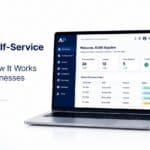
For manufacturers, distributors, wholesalers, and brands selling to business customers, managing orders through emails, phone calls, spreadsheets, and manual data entry can quickly become inefficient. As order volumes grow, businesses need a faster way to manage product collections, customer-specific pricing, inventory, and repeat orders.
A B2B collection portal provides a centralised digital platform where approved trade customers can browse products, check availability, view their agreed pricing, place orders, and track their purchasing activity. When connected to existing ERP and inventory systems, a B2B portal can also automate much of the order management process.
What Is a B2B Collection Portal?
A B2B collection portal is a secure online platform designed specifically for business-to-business purchasing. Unlike a public online store, it provides different customers with access to products, prices, stock levels, payment terms, and purchasing options based on their business relationship with the supplier.
For example, a manufacturer may have different prices for retailers, distributors, and large wholesale customers. A B2B portal can automatically display the appropriate customer-specific pricing and product assortment after each customer logs in.
A modern B2B collection portal can combine product catalogues, self-service ordering, inventory visibility, account management, order history, and ERP integration in one place.
Key Features of B2B Collection Portals
A well-designed B2B customer portal typically includes features that simplify the entire wholesale purchasing journey.
- Customer-Specific Pricing: Each customer can see the prices, discounts, and product collections relevant to their account. This eliminates the need for sales teams to manually confirm pricing for every order.
- Bulk Order Management: Businesses often purchase products in large quantities. A bulk order management system allows customers to order multiple SKUs and quantities efficiently, making large or repeat purchases easier.
- Digital Product Catalogue: A B2B product catalogue portal gives trade customers access to product descriptions, SKUs, specifications, images, pricing, and availability from a central location.
- Real-Time Inventory: Customers can check available stock before placing an order. This provides greater transparency and helps businesses avoid ordering products that are unavailable.
- Self-Service Ordering: With self-service ordering, customers can place orders 24/7 without waiting for a sales representative to respond to an email or phone call.
- Order History Tracking: Customers can review previous purchases, order statuses, invoices, and other transaction information, making repeat ordering significantly easier.
Benefits for Wholesale and Trade Customers
A B2B wholesale portal benefits both buyers and suppliers.
For wholesale and trade customers, the biggest advantage is convenience. They can access product information, pricing, and stock whenever they need it. Instead of contacting a sales representative for every purchase, customers can complete routine orders themselves.
For suppliers, digital ordering reduces repetitive administrative work. Automated workflows can minimise manual order entry and reduce errors caused by transferring information between emails, spreadsheets, and internal systems.
The result is a faster purchasing experience, improved order accuracy, and a more scalable way to serve growing numbers of customers.
How B2B Portals Streamline Order Management
Traditional wholesale ordering often involves several manual steps:
Customer → Email/Phone → Sales Representative → Manual Entry → ERP → Order Confirmation
A B2B ordering portal can simplify this process:
Customer → Login → Product Selection → Pricing & Stock Check → Order → ERP → Confirmation
This makes purchase order automation possible and allows routine orders to move directly into the company's internal workflow. Customers can also access previous orders and reorder frequently purchased products without recreating the entire order from scratch.
For sales teams, this means more time can be spent on relationship management and complex customer requirements instead of processing routine transactions.
Integration with ERP and Inventory Systems
ERP integration is one of the most important capabilities of a modern B2B portal.
An ERP integrated B2B portal can connect the customer-facing experience with business systems that already manage products, customers, inventory, orders, invoices, and financial information.
Depending on the business, integration may involve platforms such as SAP, Microsoft Dynamics, or NetSuite. Through API integration or other supported connections, information can move between the portal and existing systems.
For example, when a customer places an order, the portal can send the order information to the ERP instead of requiring an employee to manually enter it. Similarly, inventory and pricing information can be made available to customers based on the latest information from connected business systems.
This creates a more connected wholesale ordering system while reducing duplicate data entry.
Security and Access Control for Business Customers
Because B2B portals contain sensitive commercial information, security is essential.
A trade customer portal should provide secure authentication and role-based access control so that users only see the information relevant to their account and role.
For example, an organisation may have separate users for purchasing, finance, sales, and management. Each user can be given appropriate permissions for viewing products, placing orders, accessing invoices, or managing account information.
Additional security measures can include encrypted connections, secure authentication, controlled permissions, audit trails, and secure API integrations.
This helps protect customer data, pricing agreements, order information, and business transactions.
Mobile Access for B2B Portal Users
Wholesale purchasing does not always happen from a desktop computer. Sales representatives, buyers, store managers, and business owners may need to access products and orders while travelling or working on-site.
A modern B2B ecommerce portal should therefore provide a responsive experience across desktop, tablet, and mobile devices.
Mobile access allows customers to check stock, review order history, place repeat orders, and manage purchasing activities wherever they are.
Customization Options for Your Business
Every B2B business operates differently. A distributor may need different functionality from a manufacturer, while a wholesaler may have complex pricing and credit arrangements.
B2B portal software can be customised around specific business requirements, including:
- Customer-specific product collections
- Tiered pricing
- Bulk ordering
- Credit terms management
- Approval workflows
- Multiple user roles
- Order limits
- Custom fields
- Account-specific content
- ERP and API integrations
This flexibility allows businesses to build a portal around their existing processes instead of forcing customers and employees to adapt to a generic ordering system.
Implementation Timeline and Process
The implementation time for a B2B portal depends on the project's complexity, number of integrations, custom workflows, and customer requirements.
A typical implementation can involve five stages:
1. Discovery and Planning: Define customers, products, pricing, workflows, integrations, and business requirements.
2. Portal Configuration: Build the catalogue, customer experience, ordering process, permissions, and account features.
3. ERP and API Integration: Connect the portal with inventory, customer, pricing, order, accounting, or ERP systems.
4. Testing: Test product data, pricing, stock, ordering, permissions, integrations, and workflows.
5. Launch and Customer Onboarding: Deploy the portal, onboard users, and continuously improve the customer experience based on usage and feedback.
B2B Portal vs. Traditional Ordering Methods
| Traditional Ordering | B2B Collection Portal |
|---|---|
| Phone and email orders | Self-service online ordering |
| Manual order entry | Purchase order automation |
| Manual price confirmation | Customer-specific pricing |
| Stock checked by staff | Online inventory visibility |
| Sales-team dependent | 24/7 customer access |
| Repetitive data entry | ERP/API integration |
| Difficult repeat ordering | Order history and reordering |
| Limited reporting | Digital reporting and analytics |
A B2B portal does not necessarily replace the sales team. Instead, it can handle routine transactions while allowing sales representatives to focus on high-value customer relationships and more complex requirements.
Conclusion
A B2B collection portal gives manufacturers, distributors, wholesalers, and brands a more efficient way to manage digital wholesale purchasing. By combining customer-specific pricing, product catalogues, bulk ordering, live inventory, self-service ordering, and ERP integration, businesses can create a faster and more connected buying experience.
For customers, it means easier ordering and greater visibility. For suppliers, it means fewer manual processes, improved accuracy, and a more scalable B2B wholesale portal.
As B2B purchasing continues to move toward digital self-service, an integrated portal can become an important part of a company's broader sales, customer service, inventory, and order management strategy.
Frequently Asked Questions
- Q1. What is a B2B collection portal and how does it differ from a regular e-commerce site?
- A B2B collection portal is designed for business customers rather than general consumers. It can provide account-specific pricing, bulk ordering, credit terms, restricted product collections, purchasing permissions, and ERP integration that are typically more complex than standard e-commerce functionality.
- Q2. How do B2B portals handle bulk ordering and custom pricing for different customer tiers?
- B2B portals can support bulk order management and assign different pricing rules to customer accounts or tiers. Customers can then see the products, quantities, discounts, and prices applicable to their specific business relationship.
- Q3. What security features should a B2B portal include to protect business customer data?
- A B2B portal should include secure authentication, role-based access control, encrypted connections, permission management, secure API integration, and appropriate controls for protecting customer, order, pricing, and financial information.
- Q4. Can B2B portals integrate with existing accounting and inventory management systems?
- Yes. Through ERP integration and API integration, a portal can connect with existing accounting, inventory, customer, product, and order management systems. Common ERP environments may include SAP, Microsoft Dynamics, and NetSuite.
- Q5. How do B2B portals support multiple users from the same customer organization?
- They can allow multiple authorised users to access the same business account while assigning different permissions. For example, purchasing users may place orders while finance users access invoices and account information.
- Q6. What reporting and analytics features do B2B portals typically offer?
- Depending on the platform, reporting can include order history, purchasing activity, customer behaviour, product performance, sales trends, repeat orders, and other account-level or business-level metrics.
- Q7. How long does it take to implement a B2B collection portal?
- Implementation time varies according to the number of customers, products, integrations, custom workflows, and required features. A simpler portal can be implemented faster, while complex ERP integrations and custom business processes require additional planning and testing.
- Q8. What are the cost considerations for deploying a B2B portal solution?
- Costs can depend on portal functionality, number of users, customisation, integrations, ERP connectivity, implementation services, security requirements, maintenance, and ongoing support. Businesses should consider both the initial implementation cost and the potential savings from reduced manual administration and faster order processing.